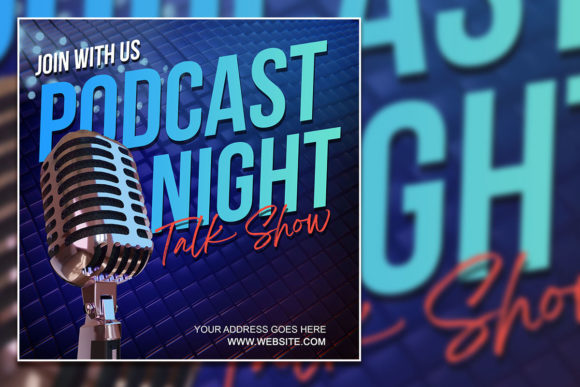
Design Your Podcast Night Social Media Post Template
Every great podcast episode deserves a visual hook. You've poured hours into recording, editing, and perfecting the audio, but the battle for attention often begins with a single, scroll-stopping image. For creators juggling microphone duties, guest coordination, and content calendars, designing a fresh, professional promotional graphic for each new release can feel like a second job. This is where a versatile, fully editable design asset transforms your workflow from frantic to focused. Imagine having a polished, customizable template ready to go, allowing you to swap in your latest episode title, guest photo, and branding in minutes rather than hours.
Beyond the Basic Graphic: A Multi-Purpose Design Toolkit
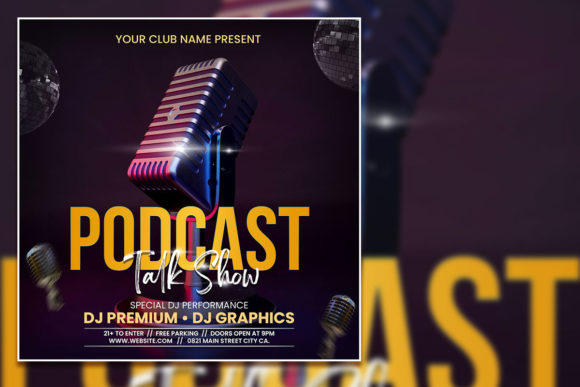
At its core, a resource like the Podcast Night Social Media Post Template is more than just a one-off flyer. It's a foundational design system built for versatility. The provided PSD file is organized with clearly labeled layers, making it intuitive to navigate even for those with intermediate Photoshop skills. You're not just getting a static image; you're receiving a structured framework where every element—text, colors, images, and shapes—is isolated and editable. This structure is critical for maintaining brand consistency across multiple episodes or event promotions. The 2000x2000 pixel dimension at 300 DPI ensures your graphics look sharp whether they're viewed on a high-resolution smartphone screen or printed as a physical poster for a local event. The RGB color mode keeps your visuals vibrant and true-to-form for digital platforms.
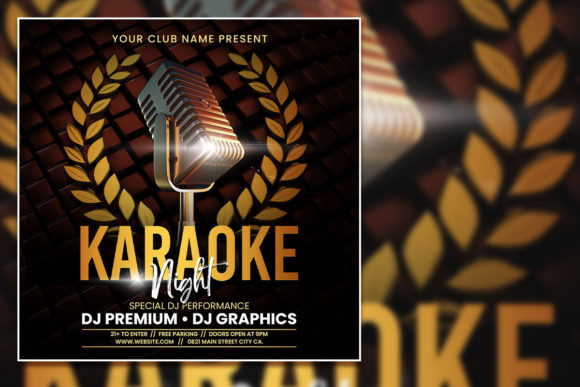
The true value emerges in its application. While named for podcast promotion, this template's clean, modern layout adapts seamlessly to a variety of needs. A small business owner could use it to announce a live Q&A session on Instagram. A community manager might adapt it for a virtual karaoke night invitation. The "Talk Show Flyer Template" variant suggests its suitability for interview-style content, while the "Karaoke / Podcast Celebration Editable PSD Template" label hints at its festive potential. The ability to replace the placeholder photo with your own image—perhaps your podcast cover art, a guest headshot, or a custom illustration—means the final product is uniquely yours, not a generic stock design.
Practical Applications for Creators and Businesses
For the content creator, this asset solves the perpetual "what do I post?" dilemma. Each week, you can generate a cohesive visual series for your podcast episodes, reinforcing your brand identity in the crowded social media feed. Consistency in your graphics builds recognition; your audience learns to associate that specific color palette, font style, and layout with your show, which is a cornerstone of effective brand identity. Use it to create not just episode announcements, but also quote graphics from the episode, guest spotlight posts, or promotional teasers leading up to the release.
Entrepreneurs and small business owners will find it invaluable for marketing assets. Launching a new product? Host a podcast-style live talk to discuss it. Use the template to create sleek invitations for that digital event. Planning a customer appreciation night that includes karaoke? The same file can be edited to produce both digital social media graphics and printable posters or flyers. This eliminates the need to commission separate designs for each piece of collateral, saving both time and money. The organized layers mean you can quickly create variations: one for Facebook's landscape format, another for Instagram's square grid, and a taller version for Pinterest or a printed handout.
Maximizing Impact with Thoughtful Design Choices
Having an editable template is the starting point. The next step is making strategic design choices that amplify your message. Typography plays a pivotal role here. The template includes specific fonts, but the true power lies in your ability to swap them. If your podcast brand uses a bold, modern sans-serif for headings and a clean, readable font for body text, you can install those fonts on your computer and update the text layers accordingly. This is where understanding font pairing becomes practical. A strong, impactful display font for the event title can draw the eye, while a simpler sans-serif for the date and time ensures the critical information is absorbed effortlessly.
Color psychology is another lever you can pull. The template's color scheme is set, but changing the hue of background shapes, text, or accent elements to match your brand's established palette is a simple edit. This reinforces your visual language. Consider readability above all. Ensure there is sufficient contrast between your text and the background. A dark, moody aesthetic might look cool, but if the white event details get lost in a shadowy photo, the design fails its primary job: to communicate clearly. Always test your final graphic on a mobile device at a small size to ensure all text is legible.
Think about the entire visual ecosystem of your project. This social media graphic doesn't exist in isolation. It should feel like it belongs with your podcast cover art, your website header, and your email newsletter design. Using consistent typography and color across all these touchpoints, facilitated by a versatile template, creates a seamless experience for your audience. This level of professional presentation builds trust and elevates your content from a hobbyist endeavor to a recognized brand. Whether you're a blogger promoting a live event, a marketer launching a new series, or a crafter hosting a virtual workshop, the principle is the same: cohesive visuals command attention and convey credibility.
In the end, tools like this editable Photoshop template are about efficiency and quality. They provide a professional starting point that respects your time, allowing you to focus your energy on what you do best—creating compelling content, building your business, or connecting with your community. The included help file and font links remove technical barriers, making professional design more accessible. By mastering the simple process of opening the PSD, selecting the text tool, and swapping in your details, you unlock the ability to produce polished, on-brand promotional material consistently, turning every new piece of content or event into a visually compelling invitation for your audience.