Fiont Keynote Template: Designing Presentations That Captivate
Imagine walking into a room to deliver a presentation, only to realize your slides look exactly like every other corporate deck from the last decade—stale, uninspired, and forgettable. That’s the silent killer of many great ideas. The Fiont Keynote Template offers a different path, one built on the foundation of modern typography and thoughtful design. It’s not just a collection of slides; it’s a visual system designed to make your ideas stand out with clarity and style, helping you communicate more effectively from the very first click.
A Visual System Built for Real-World Projects
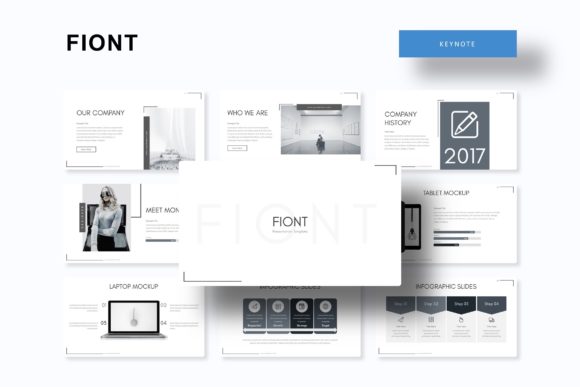
At its core, Fiont is a comprehensive Keynote presentation template featuring over 150 total slides. What makes it particularly practical is its structure: it comes with 5 premade color themes, each containing 30 meticulously designed slides. This means you’re not just getting one look; you’re getting a versatile palette to match different brand identities, project moods, or audience expectations. Whether you’re a startup founder pitching to investors, a marketer outlining a campaign strategy, or a designer showcasing a portfolio, having multiple color variations at your fingertips saves hours of manual tweaking and ensures visual consistency.
The design philosophy behind Fiont emphasizes pixel-perfect illustrations and handcrafted infographics. In a world cluttered with generic clipart, these custom visuals help your data and concepts feel intentional and professional. From complex flowcharts to simple icon sets, each graphic is designed to enhance understanding rather than decorate. The inclusion of section break slides and dedicated gallery/portfolio slides is a thoughtful touch, allowing you to seamlessly transition between topics or showcase your work in a compelling, visual narrative.
Practicality Meets Polish: How Fiont Saves You Time
One of the most significant advantages of using a template like Fiont is the efficiency it brings to your workflow. Every slide is based on Master Slides, which is the backbone of any professional presentation software. This means you can change a font, adjust a color, or update a logo in one central place, and the change will ripple across your entire deck. For a small business owner juggling multiple roles, this feature alone can be a game-changer, ensuring brand consistency without the need for advanced design skills.
The template is also built with ease of use in mind. All graphics are resizable and editable, and picture placeholders use a simple drag-and-drop function. You don’t need to be a Keynote wizard to replace a placeholder image with your own product photo or team headshot. This user-friendly approach makes professional design accessible, allowing you to focus on your message rather than wrestling with software. The package includes 5 PPTX files (standard and widescreen formats), a helpful readme file, and information on the free fonts used, so you can replicate the exact look shown in the previews.
From Slide Deck to Brand Ecosystem
While Fiont is marketed as a Keynote template, its components have a utility that extends far beyond a single presentation. The consistent color schemes, typography, and graphic styles can serve as a foundation for your broader brand identity. Think of the slide layouts as modular design assets. The clean, modern sans-serif font pairings used in the template are ideal for creating social media graphics, blog headers, or even simple print materials like flyers and posters. The infographic elements can be adapted for annual reports, website graphics, or packaging inserts.
For content creators and marketers, this template becomes a starting point for a cohesive visual language. The same color palette used in your investor pitch can inform your Instagram story templates or the look of your digital product guides. This kind of visual consistency is crucial for brand recognition. When your audience sees the same style across different touchpoints—your website, your emails, your social posts—it builds trust and professionalism. Fiont provides a ready-made framework to achieve that harmony without starting from a blank canvas each time.
Making It Your Own: Tips for Customization
To truly leverage a tool like Fiont, consider these practical steps. First, before you even open the file, define your project’s goal. Is this a persuasive sales deck, an educational workshop, or a creative portfolio? The answer will guide which of the 5 color themes you choose and which slides you prioritize. A bold, high-contrast theme might work for a tech startup pitch, while a softer, more muted palette could suit a wellness brand.
Next, focus on typography. The template uses free fonts, which is a huge plus for commercial use, but always double-check the specific license for your intended application, especially for merchandise or large-scale distribution. Play with the font pairings provided. Often, a template uses a bold display font for headlines and a clean sans-serif for body text. Understanding this hierarchy will help you maintain readability when you add your own content. Don’t be afraid to test your text on different slide layouts to see what feels most natural.
Finally, treat the infographics as editable illustrations, not finished products. Swap out the placeholder data with your own metrics. Change the icon colors to match your brand. The goal is to use the structure as a guide, but let your unique data and story take center stage. The best presentations feel personalized, not templated. By thoughtfully customizing the elements, you transform Fiont from a generic asset into a powerful extension of your own creative or business vision.