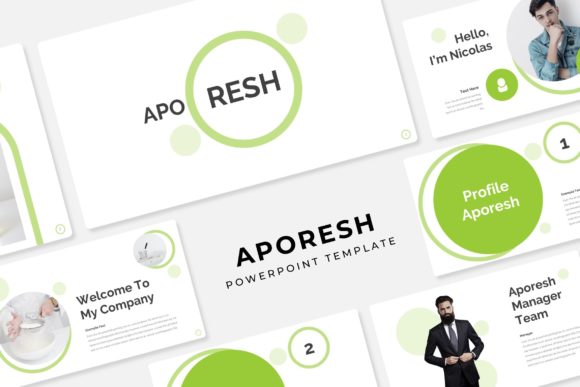
Aporesh Power Point Template: A Deep Dive into Its 150+ Slide Features
You have a crucial presentation next week. It could be a pitch to investors, a quarterly review for your team, or a workshop for clients. You open a blank PowerPoint file, and the cursor blinks back at you, a stark reminder of the hours you're about to spend wrestling with alignment, color schemes, and trying to make generic charts look professional. This scenario is familiar to entrepreneurs, marketers, and designers alike. The goal is to communicate ideas effectively, but the tool often becomes a barrier. This is where a thoughtfully constructed template changes the game, shifting your focus from tedious formatting to compelling storytelling.
Beyond the Blank Slide: The Architecture of a Cohesive Presentation
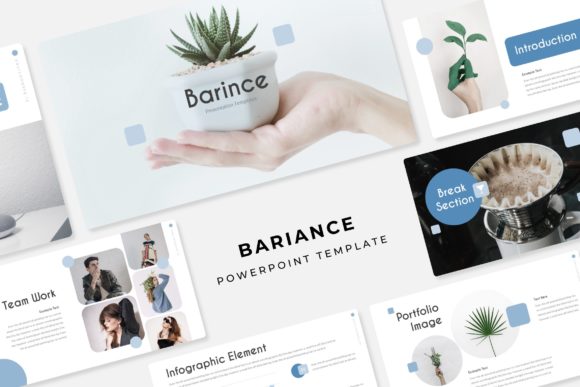
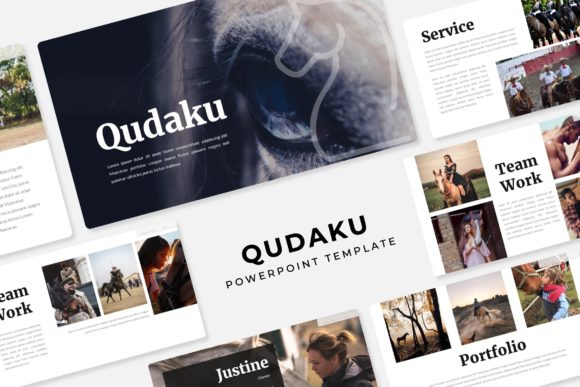
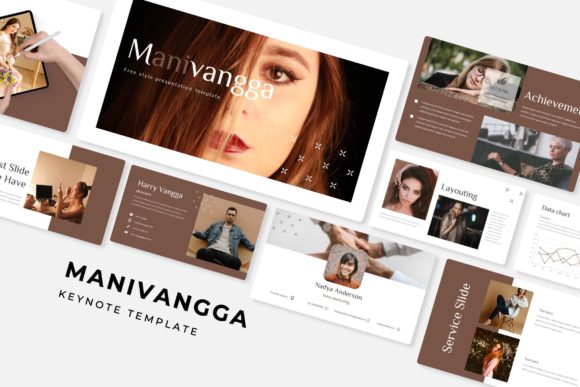
The Aporesh Power Point Template isn't just a collection of pretty slides; it's a structured system designed for clarity and visual impact. At its core, the package includes 150+ total slides, which immediately tells you this is built for versatility. A single presentation rarely needs that many slides, but having a deep library means you're not forcing a square peg into a round hole. Need a complex timeline? There are multiple handcrafted infographic options. Want to showcase your work? Dedicated gallery and portfolio slides are ready. This breadth prevents the visual monotony that can sink audience engagement, a common pitfall when reusing the same five slide layouts throughout a long deck.
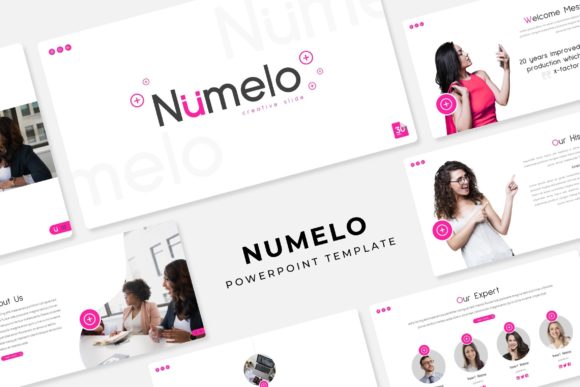
One of its most practical features is the foundation of 5 premade color schemes. Each color variation isn't just a swap of accent colors; it's a complete theme with 30 slides designed for that specific palette. This solves a significant branding challenge. If your brand identity uses a deep navy and gold, you can select that variation and have instant consistency across every slide. For a small business owner juggling multiple roles, this eliminates the guesswork and potential for error in color matching, ensuring your presentation aligns seamlessly with your other marketing assets, from your website to your social media graphics.
From Pitch Decks to Portfolios: Practical Applications for Modern Creators
The true value of a design asset lies in its adaptability. Let's move beyond the obvious use as a standard business presentation and consider its utility for a freelance graphic designer. Instead of sending static PDFs of your work, you can use the portfolio slide templates to create an interactive, narrative-driven showcase. Pair your project images with the section break slides to tell the story behind each piece— the client's challenge, your creative process, the final result. This transforms a simple gallery into a persuasive case study, enhancing professional presentation and helping potential clients understand your strategic thinking, not just your aesthetic skills.
For a content creator or blogger, the template becomes a dynamic tool for repurposing content. A well-performing blog post on "10 Marketing Strategies" can be quickly transformed into a visually engaging slide deck for a webinar or a series of social media graphics. The pixel-perfect illustrations and handcrafted infographics provide the visual hooks that make data digestible and shareable. The picture placeholders that allow for drag-and-drop functionality mean you can swap in your own images in seconds, maintaining brand recognition with your established visual style. This efficiency is gold for anyone needing to maintain a consistent content pipeline across platforms.
Working Smarter: How the Template's Design Features Save You Time
Functionality is where a premium template proves its worth. The claim of being resizable and editable is fundamental, but the implementation details matter. Because the graphics are built on master slides, changes you make to the master—like adjusting a font size or color globally—propagate throughout the entire presentation. This ensures visual consistency is maintained effortlessly. If you're preparing a marketing deck for a client, this means you can adapt their brand guidelines once on the master slide and have the entire deck update, a massive time-saver that also minimizes the risk of overlooked inconsistencies.
Another subtle but powerful feature is the inclusion of section break slides. These act as visual chapter markers, providing a mental breather for your audience and helping to organize complex information. When presenting a detailed report or a multi-phase project plan, these breaks are not just decorative; they are functional tools for pacing and comprehension. Combined with the variety of slide types—comparison charts, quote layouts, team profiles, and data visualizations—the template provides a logical flow that guides your audience from one idea to the next, which is crucial for maintaining focus and improving readability.
Making It Your Own: A Practical Guide to Customization
When you first open the files, resist the urge to dive straight into editing content. Start by reviewing the 5 PPTX Files corresponding to each color scheme. Choose the one that best aligns with your project's mood and brand identity. From there, explore the slide sorter view to understand the full range of layouts available. This is the time to plan your presentation's architecture, deciding which slides will serve each section of your narrative.
Next, address typography. The template uses free fonts, and the Readme First file will include the download links. Installing these fonts is critical to preserving the design's integrity. When considering your own font pairings for other projects, remember that the serif and sans-serif fonts chosen here were selected for harmony and on-screen readability. The principles are the same: pair a decorative display font for headlines with a clean, legible font for body text. Always test your pairings at the size they'll be viewed, whether on a conference screen or a social media post. The goal is a seamless reading experience that supports, rather than distracts from, your message.
Finally, a note on assets. The preview images are for illustration only, meaning the photographs are not included. This is standard practice for commercial fonts and templates. It encourages you to use your own high-quality images, which strengthens your brand identity and makes the presentation uniquely yours. Use the picture placeholders as guides for composition and aspect ratio, but source visuals that authentically represent your work, your team, or your concepts. This approach ensures your final presentation is not only professionally designed but also genuinely reflective of your brand's story.