Mimo PowerPoint Template: A Designer's Toolkit for Stunning Presentations
There’s a moment every creator knows. You’re staring at a blank PowerPoint slide, cursor blinking, and the pressure is on. You need to deliver a message that’s clear, compelling, and visually polished, but the default templates feel stale and building everything from scratch is a time sink you can’t afford. This is where a thoughtfully crafted resource like the Mimo PowerPoint Template shifts from being a nice-to-have to a genuine game-changer for your workflow and your brand’s visual impact.
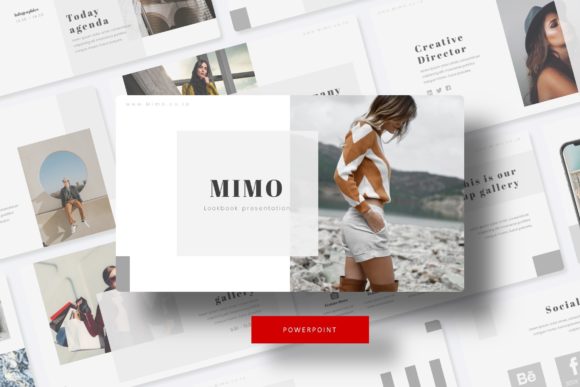
Mimo isn't just a single presentation file; it's a comprehensive design system built for versatility. At its core, it offers 150+ total slides, but the real magic lies in its structure. You get five complete, premade color palettes, each containing 30 meticulously designed slides. This means you can instantly adapt the entire presentation’s mood to match a client’s brand guidelines, a seasonal campaign, or your own evolving aesthetic. Whether you’re pitching a minimalist tech startup or a vibrant lifestyle brand, there’s a color story ready to go.
Beyond Bullet Points: The Power of Visual Storytelling
The strength of Mimo lies in its understanding that modern audiences are visual learners. Forget walls of text. The template is loaded with handcrafted infographics that transform complex data into engaging narratives. A confusing sales funnel becomes a clear, clickable graphic. A dense process is broken down into intuitive, illustrated steps. Section break slides provide breathing room and structure, guiding your audience through the story you’re telling. For those in creative fields, the dedicated gallery and portfolio slides are a standout feature. They’re designed with picture placeholders that let you drag and drop your work—whether it’s product photography, graphic design samples, or architectural renders—directly into a professional layout. It’s presentation design that respects your content.
From a practical standpoint, every element is built on master slides. This is a non-negotiable feature for anyone serious about efficient design. Need to change a font? Edit the master, and it updates across all 150+ slides. Want to adjust a color accent? One click on the master slide propagates the change globally. The graphics are fully resizable and editable, so you’re never locked into a specific dimension or style. This level of control is what separates a template you use once from a toolkit you return to project after project. It’s about building consistency, which is the bedrock of strong brand recognition.
A Practical Toolkit for Real-World Projects
So, who is this for? The applications are surprisingly broad. A small business owner can use Mimo to create a unified look across investor pitch decks, team training materials, and marketing proposals, ensuring every touchpoint feels professional. A content creator or blogger can design stunning media kits or workshop presentations that mirror the quality of their online content. Marketers will find the infographic slides invaluable for quarterly reports and campaign post-mortems, making data digestible for stakeholders. Even for personal use—think wedding mood boards, community group pitches, or event planning—it provides a polished framework that elevates the final result.
The included files underscore its professional utility: five PPTX files for standard aspect ratios and five for widescreen, covering the most common presentation formats. The "Readme First" file is a crucial, often overlooked, inclusion that provides clear guidance on setup. The use of a free font, with the download link included, eliminates a common hurdle and ensures you can replicate the demo designs immediately. A important note, as with any template, is that the preview photographs are for illustration only; you’ll be inserting your own high-quality images, which is where the picture placeholders truly shine.
Integrating a Design System into Your Brand Identity
Think of Mimo not as a single presentation, but as the start of a visual language for your communications. The pixel-perfect illustrations and consistent design elements can inform other areas of your brand. The color palettes can be extracted for use in your social media graphics or website accents. The infographic style can inspire how you present information in blog posts or email newsletters. This creates a cohesive ecosystem where your presentation doesn’t exist in a vacuum but feels like a natural extension of your broader brand identity. It’s about achieving that elusive visual consistency that makes a brand feel trustworthy and established.
When adopting any new design asset, a bit of strategy goes a long way. Before you dive in, have your content outlined. Know your key messages and data points. Then, browse the slide variety to find the layouts that best serve each section. Don’t be afraid to mix and match slides from different color themes if it serves your narrative—just ensure you then standardize your final choice for consistency. Test the font pairings; while Mimo comes with a recommended free font, you may want to pair it with a secondary typeface for your body text. Ensure there’s enough contrast for readability, especially for projected presentations. Finally, remember that the template is your foundation. Your unique content, your specific images, and your authentic voice are what will make the final presentation truly yours.