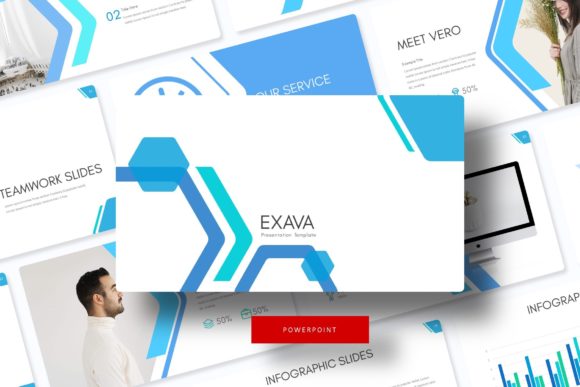
Transform Your Presentations with Exava Power Point Template
Every professional knows the frustration of opening a blank presentation file. You have the data, the strategy, and the vision, but translating that into a cohesive, visually stunning slide deck often feels like an uphill battle. We have all sat through presentations where the content was strong, but the delivery was undermined by mismatched fonts, cluttered layouts, or amateur graphics. In the fast-paced world of business, design, and content creation, your visual communication needs to be as sharp as your verbal delivery. This is where the difference between a standard presentation and a memorable one lies in the toolkit you choose to use.
More Than Just Slides: A Complete Design Ecosystem
The Exava Power Point Template is not merely a collection of pre-made slides; it is a comprehensive design system built for versatility and professional impact. With over 150 total slides distributed across five premade color variations, this asset provides the foundation for almost any corporate or creative narrative. The structure is intuitive, offering 30 distinct slide designs for each of the five color themes. This variety ensures that whether you are pitching a startup idea, presenting a quarterly financial report, or launching a new product, you have the specific layout required to make that information digestible and engaging.
Visual consistency is the cornerstone of brand recognition. When you use the Exava Power Point Template, you are not just selecting a background color; you are adopting a design language. The "Pixel-perfect illustrations" mentioned in its features are crucial here. In professional settings, pixelation or low-resolution graphics can instantly erode trust. This template ensures that every icon, graph, and text block is rendered with high fidelity, maintaining the integrity of your brand identity across every single slide.
Practicality Meets Aesthetic: The Power of Editable Graphics
For the small business owner or the busy content creator, time is the most valuable resource. One of the standout features of the Exava Power Point Template is the inclusion of "Resizable and Editable Graphic Picture Placeholder, drag & drop Based on Master Slides." This technical specification translates to massive practical benefits. Instead of spending hours resizing images or struggling to align text boxes, the master slide architecture allows for global changes with a single click. If you decide to change your brand's primary accent color or update a logo, you can do so from the master slide, and the update will cascade throughout the entire deck instantly.
Furthermore, the "Handcrafted Infographic" elements are a game-changer for data visualization. We live in an era of information overload. Raw data in a spreadsheet is rarely persuasive, but data visualized through clean, handcrafted infographics becomes a story. Whether you are explaining complex market trends to stakeholders or breaking down a DIY process for a blog audience, these infographics help bridge the gap between complexity and clarity. They serve as excellent assets not just for the slides themselves, but as standalone graphics for social media posts or website headers.
Beyond the Slide Deck: Diverse Applications
While the primary function of this asset is presentation, the utility of a high-quality template like Exava Power Point Template extends far beyond the conference room. The design principles embedded within—clean typography, balanced whitespace, and structured layouts—are the same principles used in high-end editorial design and web design.
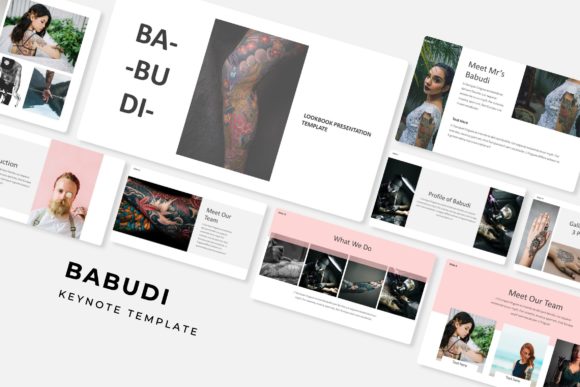
Consider the needs of a modern digital entrepreneur. You might need a "Lookbook" for a new fashion line. The portfolio slides included in this template offer the perfect grid system to showcase high-quality photography. You could also utilize the section break slides to create distinct chapters in a digital catalog. For content creators and bloggers, the slides can be exported as high-resolution images to create visually consistent Instagram carousels or Pinterest graphics. The color variations allow you to match your current seasonal branding or specific campaign aesthetics without needing advanced skills in Adobe Photoshop or Illustrator.
Technical Excellence and Usability
Accessibility and ease of use are vital when selecting design assets. The Exava Power Point Template addresses this by providing PPTX files in both standard and widescreen formats. This ensures compatibility with various projection systems and digital displays, whether you are presenting on a modern widescreen monitor or an older projector setup.
Typography plays a significant role in the readability of your presentation. A common pitfall in presentation design is using fonts that look beautiful but are illegible when projected on a large screen. This template includes recommendations for free font downloads, ensuring that you can maintain the intended aesthetic without purchasing expensive software licenses. The fonts included are selected for their balance of style and legibility, helping to maintain audience engagement. Good typography does not just look nice; it guides the viewer's eye, emphasizes key points, and ensures that your message is not lost in translation.
Streamlining Your Workflow
For those who manage multiple brands or clients, having a robust library of design assets is essential. The Exava Power Point Template acts as a versatile starting point. The "Gallery and Portfolio slide" layouts, for example, are not limited to showcasing photography. A web designer could use them to display mockups of client websites. A copywriter could use them to highlight testimonials or case studies. The "Section Break Slides" provide a necessary visual pause, allowing the audience to reset their focus before diving into the next topic.
It is also worth noting the importance of the "Readme First" file included in the package. While it might be tempting to skip the instructions, this file often contains specific guidance on how to maximize the template's features, such as how to properly utilize the drag-and-drop placeholders or how to access the color schemes. Taking the time to review these assets ensures a smoother design process and a more polished final product.
In a marketplace crowded with generic, cookie-cutter presentations, standing out requires attention to detail. It requires a toolkit that is both beautiful and functional. Whether you are a freelancer pitching a new client, a teacher creating an engaging lesson plan, or a marketer outlining a new strategy, the visual quality of your presentation speaks volumes about your professionalism. By leveraging the structured, clean, and highly customizable nature of the Exava Power Point Template, you equip yourself with the ability to communicate complex ideas simply and beautifully, leaving a lasting impression on your audience.