Alphalink Google Slide Template: A Visual Toolkit for Modern Brands
Imagine this: you’re preparing a crucial pitch for a potential client, a workshop for your community, or a quarterly report for your team. You open your presentation software, staring at a blank, white slide. The cursor blinks mockingly. You know your content is strong, but you also know that first impressions are visual. A disjointed, generic presentation can undermine even the most brilliant ideas. This is the exact moment a resource like the Alphalink Google Slide Template transitions from a nice-to-have to a genuine business asset. It’s not just about having pretty slides; it’s about having a coherent visual system that communicates professionalism and attention to detail before you even say a word.
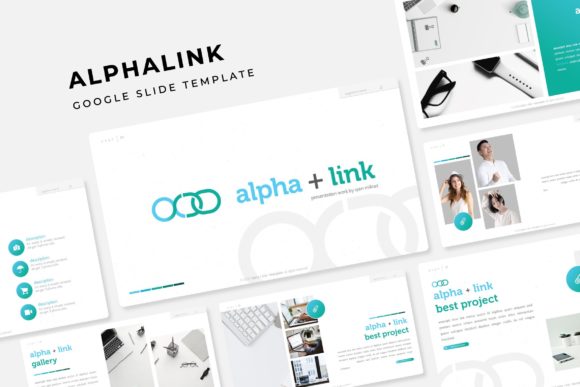
At its core, the Alphalink template is a comprehensive presentation kit designed for those who value both aesthetics and efficiency. The package includes 150+ total slides, but the real magic lies in its thoughtful structure. It’s built on 5 premade color palettes, with 30 distinct slides meticulously crafted for each color variation. This means you’re not just getting one look; you’re getting five interconnected visual identities you can deploy instantly. Whether your brand is bold and vibrant or sleek and minimalist, there’s a starting point that feels tailored to you. The inclusion of handcrafted infographics, section break slides, and dedicated gallery and portfolio layouts means you can visualize complex data, guide your audience through a narrative, and showcase your work without ever leaving the template.
From Slides to Brand Assets: The Versatility of a Cohesive System
The true value of a design asset like this is measured by its adaptability across your entire brand ecosystem. While it’s presented as a presentation template, its components are fundamental building blocks for broader visual communication. Consider the pixel-perfect illustrations and resizable, editable graphics. These aren’t just for slide decks. A marketing manager could extract a single infographic element to use as a standout visual in a blog post or an email newsletter. A small business owner might adapt the clean layout of a portfolio slide to design a one-page product sheet or a service menu. The picture placeholders, designed for easy drag-and-drop functionality, encourage consistent imagery across your website headers, social media graphics, and digital ads, reinforcing brand recognition through familiar visual cues.
For entrepreneurs and content creators, this kind of consistency is gold. It streamlines the creation of marketing assets. Instead of starting from scratch each time you need an Instagram carousel, a Facebook cover, or a webinar title card, you pull from a unified library of styles, colors, and graphic elements. This not only saves hours but also ensures that every touchpoint with your audience feels intentionally and professionally aligned. The template’s foundation in master slides is a practical godsend—it allows for swift, global changes to fonts or color accents, ensuring your entire presentation (and any derivative assets) update seamlessly, maintaining that crucial visual harmony.
Practical Application: Matching Design to Objective
Having a powerful tool is one thing; knowing how to wield it effectively is another. The Alphalink system shines when you approach it with a clear goal. Are you creating a sales proposal? Start with the color variation that best matches your prospect’s industry or your own brand’s energy. Use the section break slides to clearly demarcate problem, solution, pricing, and next steps. The built-in infographic slides are perfect for illustrating market research, customer testimonials, or competitive advantages in a way that’s instantly digestible.
For internal training or team onboarding, the clarity of the layouts helps simplify complex processes. The gallery slides are ideal for showcasing product features, team members, or office culture. The key is to view the 150+ slides not as a script to follow verbatim, but as a visual language you can speak fluently. Mix and match. Use a bold section divider to introduce a new topic in your workshop deck. Pull the minimalist text-and-image layout for a clean, focused slide in your investor pitch. The system is designed to be modular, empowering you to build presentations that are uniquely yours while benefiting from a professionally designed framework.
Getting Started and Making It Your Own
Diving into a new template can feel daunting, but the Alphalink package is set up for a smooth start. The included "Readme First" file is there for a reason—give it a quick scan. It will point you to the free font used throughout the design, ensuring your typography matches the preview exactly. This attention to detail prevents that frustrating moment when your downloaded template looks off because of a missing typeface.
Once you open the PPTX files in Google Slides or PowerPoint, begin by exploring. Click on the different color themes to see how they transform the mood. Notice how the infographics are built—many are grouped shapes that you can ungroup, recolor, or resize to fit your specific data. The picture placeholders are your best friends; simply click the icon to upload your own images, and they will automatically crop to fit the designated space, preserving the layout’s integrity. Don’t be afraid to experiment. Duplicate a slide and try a different combination of text and graphic elements. The goal is to become familiar with the toolbox so that when you’re under a deadline, you can build with confidence and speed.
Ultimately, a resource like the Alphalink Google Slide Template is about reducing friction in the creative process. It handles the heavy lifting of layout, color theory, and visual balance, freeing you to focus on what truly matters: your message, your story, and your connection with the audience. In a world saturated with mediocre visuals, presenting with clarity and polished intention isn’t just about looking good—it’s about being heard, trusted, and remembered.