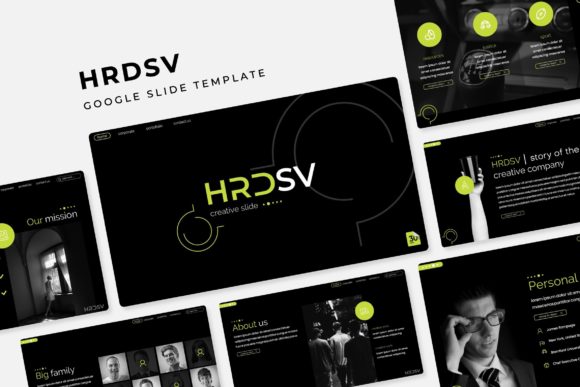
Joba Google Slide Template: Crafting a Cohesive Visual Story
Struggling to keep your presentations from looking like a random collection of slides? You're not alone. Whether you're pitching to clients, onboarding new team members, or presenting quarterly results, the visual flow of your deck can make or break your message. A disjointed presentation feels unprofessional and can distract from your core ideas. This is where a thoughtfully designed template system, like the Joba Google Slide Template, transitions from a nice-to-have to a genuine asset in your workflow.
A System Built for Visual Harmony
What sets this particular template apart isn't just a single stylish slide. It's a complete ecosystem. With over 150 total slides built on a foundation of five premade color schemes, you're not starting from scratch each time. Each color variation offers 30 unique slides, giving you a substantial library to draw from. This structure is a lifesaver for anyone managing multiple brands, projects, or clients. You can switch the entire mood of your presentation with a single click, moving from a professional blue palette to a vibrant, energetic scheme without breaking a sweat. The handcrafted infographics are particularly useful. Instead of spending hours trying to build a chart from scratch in PowerPoint or Slides, you have ready-to-use, visually engaging data visualizations that you can simply plug your numbers into.
Beyond the Slideshow: Real-World Applications
While designed for presentations, the assets within the Joba template have a much broader reach. The pixel-perfect illustrations and resizable graphics are perfect for creating other brand materials. Think about pulling a beautifully designed section break slide to use as a hero image on your website or a featured graphic for a blog post. The gallery and portfolio slides are instantly adaptable for showcasing your work on social media or in a digital lookbook. For entrepreneurs and small business owners, this means your investment extends far beyond the boardroom. You can maintain a consistent visual language across your pitch deck, your Instagram stories, and your product catalog, strengthening your brand identity with every piece of content.
Practical Design: Saving Time Without Sacrificing Quality
The real value of a template like this is in its practicality. Features like drag-and-drop picture placeholders and a master slide foundation mean you spend less time on tedious formatting and more time on your actual message. Imagine preparing a last-minute client update: instead of wrestling with alignment and font sizes, you simply drag your product photos into the designated spots, type your text, and your deck looks polished and professional. This efficiency is crucial for marketers, content creators, and consultants who juggle multiple projects. The included readme file and free font download links remove another common hurdle, ensuring you can get started immediately without hunting for compatible typefaces.
Making It Your Own: Tips for Effective Use
To get the most out of a comprehensive template, it helps to approach it with a strategy. First, consider your project's goal. Is it a formal investor pitch, a creative workshop, or an internal brainstorming session? Choose the color variation that best fits the tone. For instance, a muted, sophisticated palette works well for financial reports, while a brighter set might engage a younger audience in a marketing workshop.
Next, think about consistency. Use the master slides to your advantage. If you establish your logo and core font styles on the first few slides, the entire presentation will feel cohesive. Don't feel obligated to use every single slide type. A powerful presentation often uses fewer, more impactful slides rather than cramming in every available option. Select the layouts that best serve your narrative flow.
Finally, test your typography. While the template suggests a font, ensure it aligns with your existing brand materials. If you have a primary brand font for headings, see if you can pair it effectively with the template's body text for a unique yet harmonious look. The goal is to use the template as a strong starting point, not a rigid cage, allowing your own brand's personality to shine through.
In the end, a resource like the Joba Google Slide Template is about empowerment. It provides a professional, flexible foundation that allows you to communicate your ideas with clarity and visual appeal, freeing you to focus on the story you need to tell. Whether you're building a brand, closing a sale, or inspiring a team, starting with a solid visual framework is a step toward making your message resonate.