Streamline Your Pitch: The Numelo Google Slide Template
You’ve spent weeks refining your business plan, your marketing strategy, or your creative portfolio. You know the content is solid, but when you open your presentation software, you hit a wall. The default templates feel overused, and building a cohesive design from scratch takes time you simply don’t have. This is where the gap between a good idea and a professional delivery often lies. The Numelo Google Slide Template is designed to bridge that gap, offering a comprehensive, ready-to-use solution that lets your content shine without the design headache.
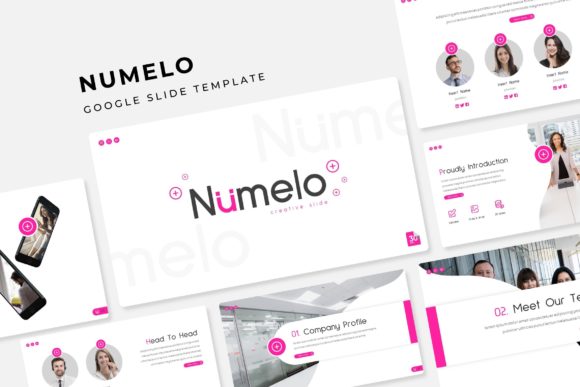
Think about the last time you watched a presentation that truly held your attention. Chances are, the visuals were clean, consistent, and supported the speaker’s message rather than distracting from it. That’s the core philosophy behind this collection. With 150+ total slides organized across five distinct color schemes, you aren’t just getting a static file; you’re getting a flexible design system. Each of the five premade color palettes contains 30 meticulously crafted slides, giving you the variety to match any brand identity or mood. Whether you’re pitching to investors, teaching a workshop, or showcasing a design portfolio, the visual foundation is already set for you.
Beyond Bullet Points: Visual Storytelling
The real value of a premium template lies in its ability to handle complex information gracefully. We’ve all seen slides crammed with text that the audience immediately tunes out. The Numelo template prioritizes visual communication. It includes handcrafted infographics that turn dry statistics into engaging stories. Instead of listing numbers, you can present them through charts and diagrams that are easy to understand at a glance.
Furthermore, the inclusion of section break slides is a subtle but powerful tool. These act as visual palate cleansers, giving your audience a moment to digest information before moving to the next topic. Paired with dedicated gallery and portfolio slides, this template is particularly useful for creatives. If you are a photographer, interior designer, or UI/UX developer, you need high-resolution visuals to make your case. The picture placeholders are designed for drag-and-drop functionality, meaning you can swap out images in seconds without messing up the layout.
Practicality Meets Polish
One of the biggest frustrations with high-end design assets is the lack of flexibility. A template might look beautiful in the preview, but the moment you try to resize a box or change a color, the whole structure falls apart. This is where the technical build of the Numelo template shines. It is built upon Master Slides, which ensures that every element is anchored correctly. If you decide halfway through that you prefer the blue theme over the green one, you can switch it globally without having to manually edit each slide.
The pixel-perfect illustrations and resizable graphics mean that your presentation will look crisp on any screen, from a laptop monitor to a large projection screen. This attention to detail is crucial for brand identity. Consistency in your visuals builds trust. When your typography, color palette, and imagery align perfectly, your brand looks established and reliable.
Applications for the Modern Professional
While this is technically a presentation file, its utility extends far beyond the boardroom. For small business owners and marketers, these slides can be repurposed. You can export individual slides as high-quality images for social media graphics or blog headers. The clean layouts are perfect for creating digital products, such as lookbooks or media kits.
Consider the editorial layouts provided. If you are a content creator putting together a sponsorship proposal, having a pre-designed slide dedicated to your statistics and past collaborations adds a layer of professionalism that a simple PDF cannot match. For entrepreneurs, the structure helps organize thoughts logically—moving from the problem to the solution, then to the market analysis and the team, all within a cohesive visual language.
Getting Started and What’s Included
Adopting a new design asset should be seamless. The package includes 5 PPTX files (standard and widescreen formats) to ensure compatibility with your preferred setup. It also includes a Readme First file and links to the free fonts used in the design. This is a critical detail often overlooked; you won’t be left scrambling to find a matching typeface or paying for a license you didn’t budget for.
When you download the template, take a moment to review the structure before adding your own content. Look at how the 5 premade colors shift the mood of the presentation. Test how the picture placeholders handle your specific imagery. By understanding the tools at your disposal, you can transform this template from a generic slide deck into a powerful communication tool that elevates your professional presence.